
Another exciting and flexible feature of JobWP is that you can easily link any External Job Application Url to your site Apply Now button.
Like you have jobs in LinkedIn Jobs, Google Jobs or any other platforms and you want your candidate to apply that jobs via LinkedIn or Google apply procedure.
You can simply copy that LinkedIn Job Applicaiton Url or Google Job Applicaiton Url and place it in your site Apply Now button Url section.
Step 1: Copy the External Job Application Url #
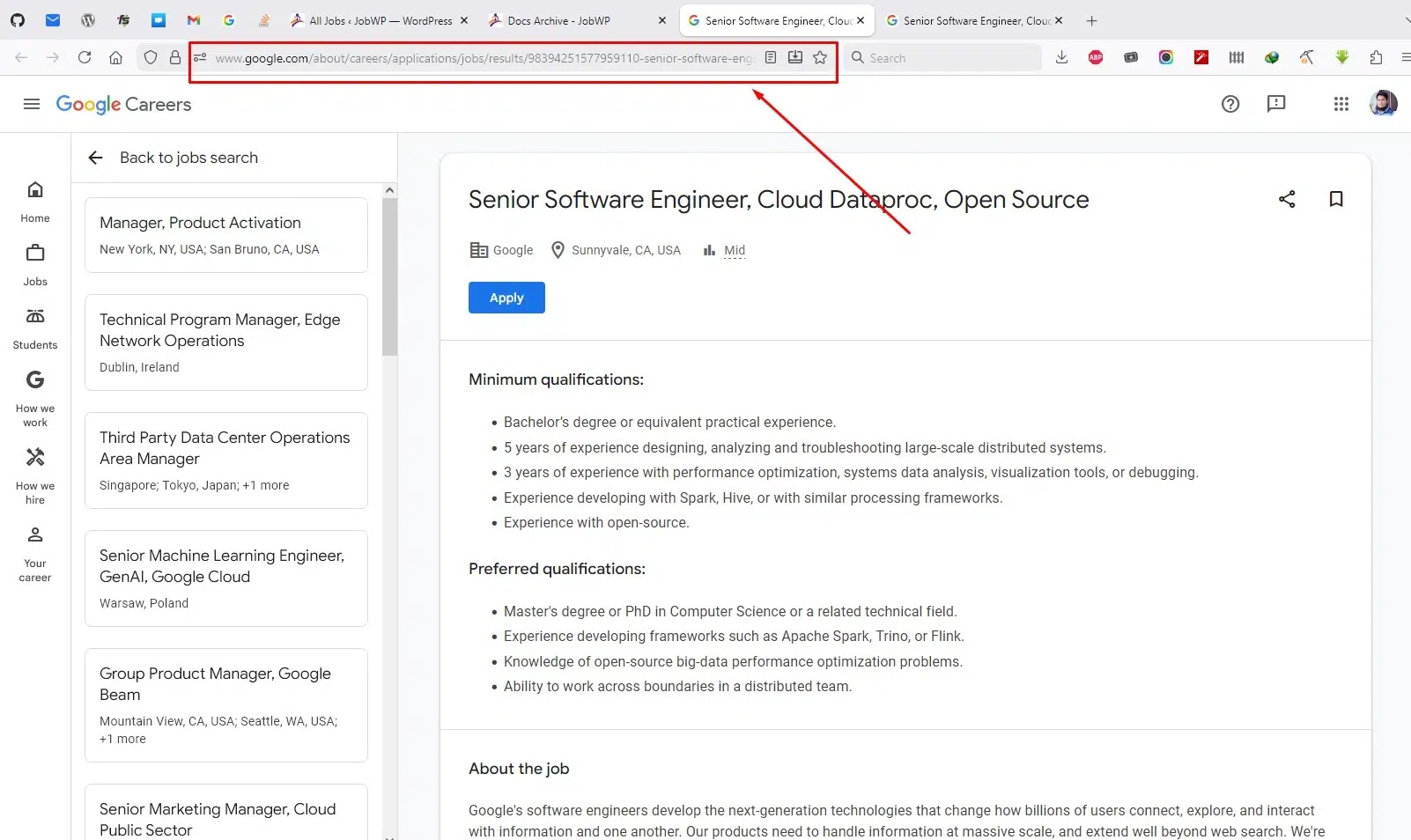
First go to the External Job website like LinkedIn or Google Jobs and open the Job details where Application process available.
After that copy that url from the browser.
Step 2: Set the External Job Application Url #
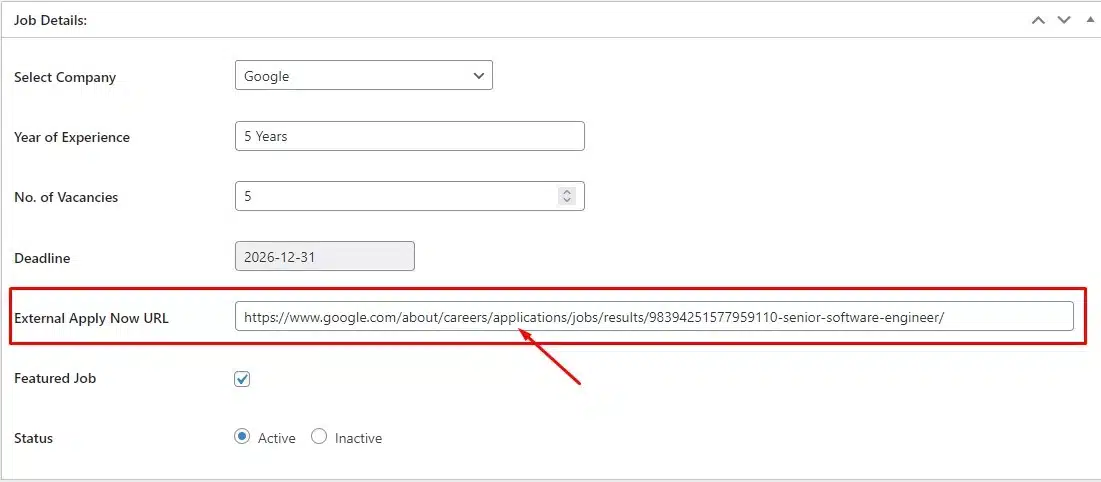
Now in your Website open the job in the post editor where you want to apply the External Job Application Url.
Then go to the Job Details section and find the Option External Apply Now Url.
There past the External Job Application Url into the External Apply Now Url section.
Step 3: Allow External Job Application Url #
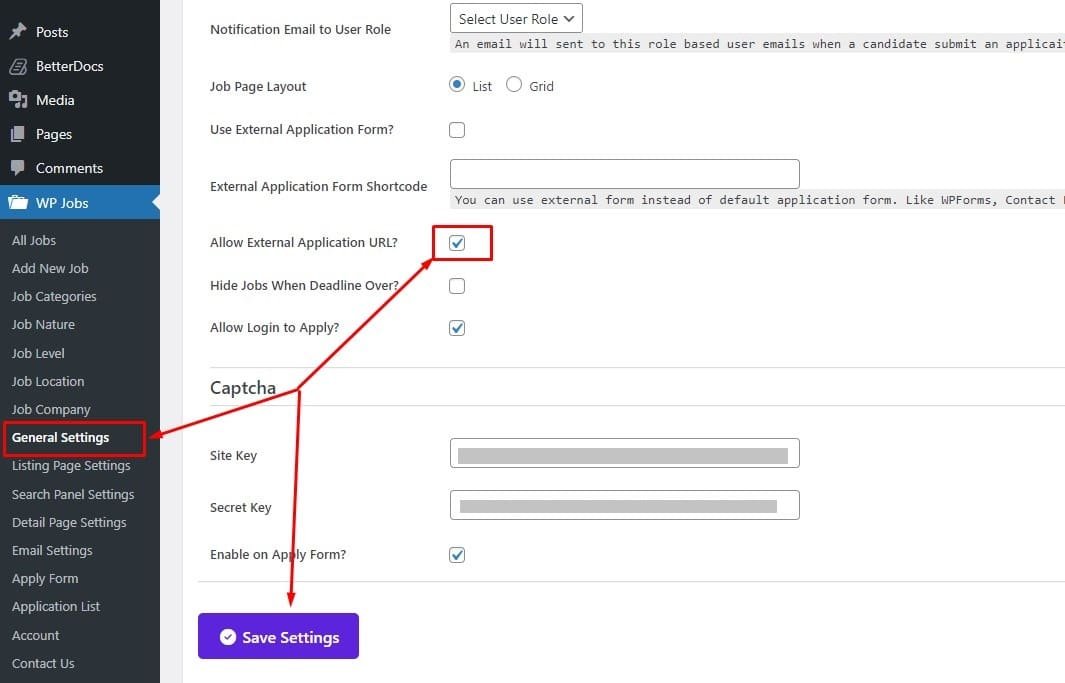
Now you need to give permission to enable the External Job Application Url instead of your built in internal Apply Procedure.
To do that Go to the General Settings Page and find the option Allow External Application Url.
Check that option and press Save Settings Button.
That’s it!
Now your candidate will be redirected to the External Job Application Url when they press the Apply Now button in your job details page.


